
Mobile banking app with an innovative user experience
Moving from standard banking with a basic set of functions to a digital bank where everything can be done online.
The Bank wanted to switch to a new way of interacting with customers via a mobile application. Instead of standard banking services with a set of basic functions, we moved to a digital bank where everything can be done online: from client registration to any payments.
Result: 700+ thousand customers use the app.
We design and ship banking apps - onboarding, cards, payments and a UX worth switching for.
To become a client of the bank, you just need to download the application and register online. The user’s identity can be confirmed using the bank’s general identification system or via a video call with a bank operator. You can then open an account and a virtual card and use them immediately. And physical cards can be ordered with delivery by post.

Bills and services look like widgets. You can manage them: add new ones, change their location, customise the way they are displayed.
To transfer money or make a payment, you simply drag and drop the right widget onto your account widget. This completely new way of interacting with the application saves the user from long chains of actions.

Dark or light theme, desktop background, widget settings, widget placement and even size - it’s all up to the user.
In addition, the application itself adapts to the user and offers relevant services based on the user’s transactions and account balances. For example, to take a loan or open a deposit in a bank.

Digital banking helps clients achieve their financial goals. In the application, you can create a piggy bank and replenish it in one of three ways: by automatically rounding up the account balance, putting aside monthly or when receiving funds.

- Interface onboarding
- Customised design
- Bonus program
- Media inside the app
- Splitting the bill
The new digital bank brought the client recognition from international experts: Markswebb, Euromoney, The Financial Times.

Mobile banking apps for regulated banks: native, PWA and hybrid, integrated with your core, identity and payment rails.
See the service Mobile app developmentNative, cross-platform and super app builds, with SDKs and push infrastructure.
See the service iOS app developmentiOS apps for regulated products - design, build, testing and App Store release discipline.
See the service Android app developmentAndroid apps and payment SDKs for regulated products - from design and build to release.
See the service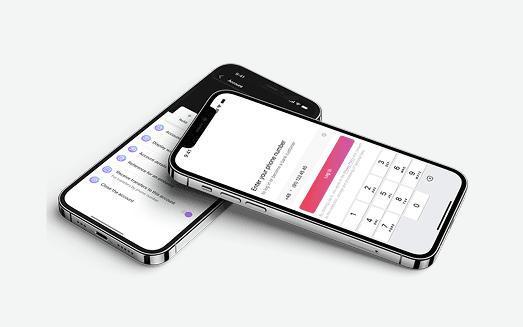
Large-scale migration from a legacy internet banking system to a modern microservices-based architecture, with stronger scalability, security and user experience, while keeping customer trust intact.
View case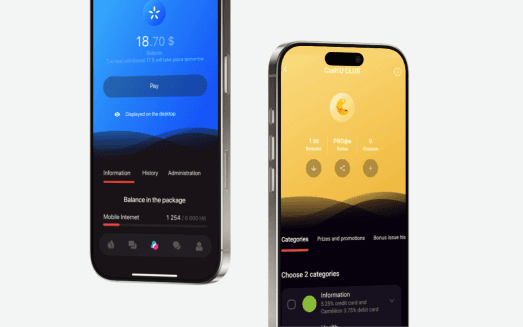
A consumer banking super app in a regulated market had to launch at scale inside a fixed regulatory and competitive window. We owned the integration architecture and mobile delivery.
View case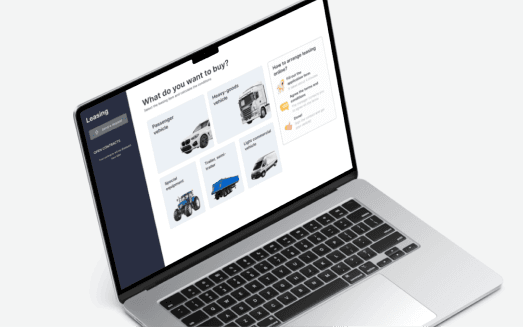
We turned traditional car leasing into a fully digital service: online search and booking, applications, contracts, invoices and document management, all in one place.
View caseBook an integration review. Bring one stuck or upcoming integration - we'll diagnose it with you and scope the work, no obligation.