
Mobile app modernisation
Performance, stack and UX modernisation for live mobile apps, without losing the user base.
Results from work we have shipped
Large-scale migration from a legacy internet banking system to a modern microservices-based architecture, with stronger scalability, security and user experience, while keeping customer trust intact.
Looking for features that keep users coming back?
40+ features we have shipped in banking and fintech apps – from instant onboarding and QR payments to savings mechanics and tools for sole traders.
Modernisation work we deliver
Ageing tech stacks limit innovation. We assess your application’s current technologies and recommend the right frameworks, libraries, and cloud‑based solutions. Our upgrades improve stability, maintainability, and performance.
User expectations evolve rapidly. We redesign interfaces to improve accessibility, navigation, and aesthetics. Our UX research ensures modernised apps are intuitive, inclusive, and engageing.
Cloud‑based applications offer flexibility and cost efficiency. We migrate monoliths to microservices‑based architectures, enabling better resource utilisation, improved scalability, and easier maintenance.
A live app ageing faster than you can patch it?
Walk us through the stack and the user base and we will scope a staged renewal.
How we deliver mobile app modernisation?
The same delivery discipline on every engagement - from the first map to a handover your team runs.
Two parallel reads of the app: the code (architecture, dependencies, build health) and the evidence (crash data, performance traces, user journeys). The output is a prioritised map of what to change, what it costs and what it returns.
We fix the target architecture and the order of moves: which modules are refactored, which are replaced, and how old and new run in parallel. The user-protection plan - data, sessions, rollout cohorts - is designed here, not improvised later.
Each phase ships a reversible slice to production: a stack upgrade, a rebuilt journey, a service moved behind a stable contract. Feature flags and staged rollouts contain the risk; telemetry confirms the gain before the next phase starts.
Cutover completes when the legacy paths are retired and the metrics hold. We hand over code, pipelines, dashboards and documentation, set the dependency-upgrade cadence with your team, and stay available so the app never slides back into legacy.
What shapes the work
A mobile app does not have to break to become a liability. Every OS release deprecates APIs it depends on, every store policy update raises the bar for the next submission, and every year of feature work adds weight the original architecture never planned for. The app still compiles, still earns and still serves its users - but each change takes longer than the last, and each release carries a little more risk.
The signals are consistent across the apps we audit: release cycles stretch, crash rates creep up on newer devices and OS versions, the interface reads as dated next to category leaders, and engineers spend more time working around the architecture than inside it. None of these is an emergency on its own. Together they mean the cost of change is rising faster than the value of change - the practical definition of legacy.
Modernisation treats the live app as an asset rather than a write-off. The user base, the store history, the ratings and the accumulated data are exactly what a rebuild puts at risk - and what a staged modernisation is designed to keep.
The hard part of modernising a live app is not writing the new code - it is that the old app is in production, with real users on it, the whole time you are changing it. There is no maintenance window for a consumer app. Sessions must survive updates, local data must migrate in place, and the store listing - with its ratings and install base - must stay continuous. A migration users notice is a migration that loses some of them.
Our playbook is built around parallel running. Old and new implementations live side by side behind feature flags; cohorts move across in stages while crash-free sessions, latency and journey completion are watched against the legacy baseline; every step has a rehearsed rollback. Cutover happens as a series of quiet, contained decisions, not one launch night. The legacy path is only retired when the numbers say the new one is better - for every device class, not just the flagship phones.
This is the discipline that separates modernisation from a rebuild wearing a different name: the user never has to choose the new app, because it arrives as the app they already have.
We ran this playbook for a bank with over 1.5 million users - see the seamless migration to modern digital banking, which reached its first release in six months with customer trust intact.
A slow app is often a slow system wearing a mobile interface. Part of the audit is separating problems that live in the client - render performance, deprecated SDKs, a dated interaction model - from problems that live behind the API: a monolithic backend, brittle point-to-point integrations, queries that surface in the app as spinners. Modernising the client on top of a struggling backend just moves the waiting around, and we will say so before any code is written.
The boundary that makes both sides tractable is the API contract. We stabilise and version it early, so the mobile client and the services behind it can be modernised on independent timelines: the app team works against agreed contracts while services are re-architected behind them, and neither track blocks the other. On the client side this is also where stack decisions are made - what stays fully native in Kotlin and Swift, what is shared, and which modules deserve replacement rather than repair.
When the deeper work sits server-side - monolith decomposition, cloud re-platforming, integration estates - it belongs to a different discipline with its own playbook.
For that system-level work, see application modernisation.
Every engagement starts with a fixed-scope audit - a deliberately limited first step that does not assume the rest of the work happens. Its output is the modernisation map, the document that every later decision in the engagement refers back to.
- A prioritised backlog of changes, each with effort, risk and expected gain
- A target architecture and the sequence of phases to reach it
- A user-protection plan covering data, sessions and rollout
- A renovate-or-rebuild recommendation argued from your codebase, not a template
Delivery then follows the map phase by phase. Each phase is scoped to a shippable, measurable outcome, and each phase boundary is a genuine exit point: you can stop, pause, or take the next phase in-house without stranding half-finished work, because every phase leaves the app in a releasable state. The engagement is shaped the way the engineering is - work cut into increments small enough to judge on their results, so the decision to continue is re-earned at each boundary rather than assumed at the start.
Modernisation is judged by the releases that come after it. The point of the work is not one improved version - it is that the next two years of feature releases get cheaper, faster and safer. So the engagement ends with the machinery for that in place: CI/
The other deliverable is a cadence. Apps drift back into legacy one skipped upgrade at a time, so the handover includes an agreed rhythm for dependency updates, OS-target moves and security reviews - sized so your team can sustain it between feature work. Where our involvement ends is agreed there too: the rhythm is built for your engineers to run, and any continued role for us is defined as deliberately as the phases before it.
Either way, the measure of success is the same: a release cycle your team trusts, on an app that no longer fights them.
For the rest of the mobile practice, greenfield builds included, see the mobile app development overview.
We collaborated with WislaCode on a product strategy development project and gave the highest marks for this contractor. The WislaCode team delivered on time and with outstanding quality. I want to mention the team's transparency while running the project - everything was trackable, visible and manageable.
What is included in a modernisation engagement?
Modernisation is delivered as production work on a live app, not a side project: every phase ships to real users behind controls, and every phase leaves the app measurably better than the last.
A technical audit of the codebase, dependencies, crash data and release pipeline, producing a prioritised modernisation map.
A target architecture and migration sequence that breaks the work into phases, each with its own rollback path.
A user-protection plan covering data migration, session continuity and store listing continuity, so existing users never re-register.
Stack, SDK and OS-target upgrades sequenced ahead of store policy deadlines, enabling modern platform capabilities such as biometrics and background tasks.
UX renewal applied screen by screen on the journeys that matter most, measured against task completion before and after.
Telemetry wired into every phase - crash-free sessions, startup time, API latency - so each release proves its improvement.
A regression budget enforced at every release gate, so a build that makes the experience measurably worse is held back, not argued over.
You own everything at handover: the code, the pipelines, the telemetry dashboards and the documentation. Your team can run the modernised app alone, or keep us on for the upgrade cadence.
How do you decide between refactoring, re‑platforming, or a full rebuild?
A structured assessment guides the decision. We measure current stability, crash rates, performance hotspots, and dependency risks. Map the business‑critical journeys and estimate the cost of change. If most issues are localised, refactoring and selective re‑architecture pay back fastest. If the runtime, database, or hosting platform is the bottleneck, re‑platforming to a modern, observable stack is often best. A full rebuild is only for cases where key issues stop progress. These can include an unmaintainable monolith, outdated frameworks, or security risks. We model effort, risk, and expected gains (performance, reliability, development speed) to recommend the smallest viable change that delivers the required outcomes. This approach reduces technical debt while keeping velocity high.
How do you improve performance without compromising battery life or data usage?
We start with telemetry to find the real bottlenecks - cold starts, main‑thread blocks, chatty APIs, oversized images, or unindexed queries. Fixes target these root causes: lazy‑load non‑critical modules, batch network calls, cache smartly with sensible TTLs, compress and resize media, and enable HTTP/2/3. On device, we offload heavy work to background threads, schedule tasks when on Wi‑Fi/charging where appropriate, and add offline support to reduce retries. Server‑side, we tune queries, add pagination, and use CDNs for static assets. We lock in improvements with budgets and alerts, like startup time, frame stability, and payload size. This way, the app feels fast while also respecting battery and data limits.
How do you keep modernised apps secure and compliant as they evolve?
Security is integrated into delivery. We adopt strong authentication (including biometrics where relevant) and least‑privilege authorisation. The central team manages secrets; they encrypt data in transit and at rest; and they maintain audit trails for sensitive actions. Pipelines enforce policy‑as‑code with dependency scanning, SAST/DAST, and container/image checks. We schedule regular penetration testing and review third‑party SDKs for data access. Compliance (privacy, consent, retention) is documented and tested, with clear user notices. Observability and anomaly detection help us respond quickly, while playbooks shorten incident MTTR. This keeps posture strong as features and integrations grow.
What’s the typical timeline and cost drivers for mobile app modernisation?
Discovery and planning usually take 2-4 weeks, leading into phased delivery. A focused refactor takes about 6 to 10 weeks. In contrast, broader re-platforming or cloud migration usually lasts 3 to 6 months. This depends on factors like integrations, data migrations, and non-functional requirements. Key drivers are integration access and quality, complexity of the codebase, test coverage, team availability, and the depth of performance, accessibility, and security work. We time-box outcomes for each phase and deliver in increments. This way, benefits come early. For instance, we see performance and crash-rate improvements before making bigger architectural changes. Transparent metrics and demos reduce uncertainty and help stakeholders make informed trade‑offs.
How do you manage risk when upgrading Android/iOS targets and dependencies?
We maintain a compatibility matrix and upgrade in small, reversible steps. Feature flags isolate risky changes; canary and staged rollouts limit blast radius. Automated tests cover critical journeys, including background tasks, notifications, and permissions. We replace deprecated APIs, review platform behaviour changes, and validate on a realistic device and OS version set, including low‑end hardware. Third‑party libraries are audited for licence and security concerns. Monitoring (crash‑free sessions, ANRs, latency) is watched closely post‑release. This method keeps the store pipeline moving while protecting user experience.
How do you measure ROI after modernisation?
We set baselines and target metrics before work begins. Common signals include performance (cold start, frame stability, API latency), reliability (crash rate, ANR rate), user experience (task completion time, retention, satisfaction), and delivery velocity (lead time, change failure rate). Commercial outcomes may include conversion, average order value, or support ticket reductions. We attribute improvements to releases where possible and track cohort behaviour to avoid false positives. The aim is a measurable lift in user satisfaction and business KPIs, paired with a lower cost‑to‑change thanks to improved architecture, tests, and automation.
Can you modernise our app while our own team keeps shipping features?
Yes, and the migration sequence is designed around your release calendar from the start. Stable, versioned API contracts and clear module boundaries let the modernisation track and the feature track work in the same codebase without blocking each other, and feature flags keep both independently releasable. We agree which areas are frozen during their migration window and keep those windows short. There is a real coordination cost during the heaviest phases, so we plan it explicitly with your leads rather than letting the two tracks discover each other in merge conflicts.
Will existing users have to reinstall or re-register after modernisation?
No. Protecting the installed base is a design constraint from the first phase, not a launch-week scramble. The app keeps its store listing, so ratings, reviews and the install base carry over; updates ship as ordinary releases through the same pipeline. Local data, preferences and sessions are migrated in place on first launch of each new version, and the migration code is tested against real data snapshots before rollout. If a security improvement genuinely requires re-authentication, it is planned, communicated in-app and measured - never discovered by users as a surprise logout.
Can you take over an app built by another vendor, with little documentation?
Yes - modernisation engagements often start exactly there. The audit is designed to work from the artefacts that actually exist: the repository and its history, build configuration, crash reports, store analytics and the running app itself. From these we reconstruct the architecture picture, map the dependencies and document as we go, so the knowledge gap closes as a side effect of the work. Access to the original developers helps and shortens discovery, but it is not a precondition; an unowned codebase is a reason to modernise, not a barrier to starting.
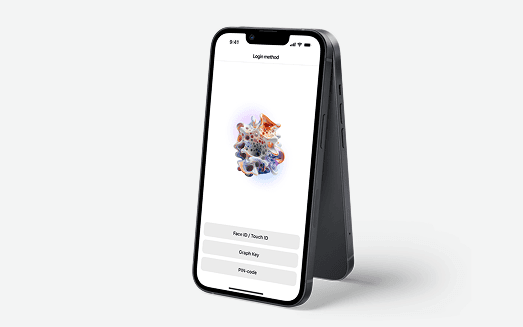
Moving from standard banking with a basic set of functions to a digital bank where everything can be done online.
View case
A private, on-premise WislaSearch deployment that turns a logistics operator's scattered operational knowledge into instant, cited answers - without anything leaving their network.
View case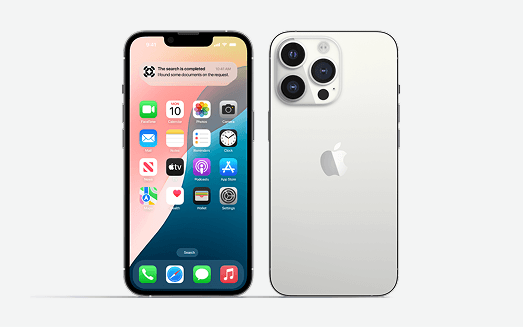
PushMaster is an enterprise-grade push notification server for reliable, multi-channel message delivery across web and mobile.
View caseWe've been working with WislaCode since July 2025. What started as enhancing the loyalty program in our GlobalTips guest app grew into a broader partnership where they now handle significant frontend development across our guest app, staff app, and web products.
This was a very task-heavy project, mostly exploration and R&D-driven. However, by the end of WislaCode, we were left with a detailed roadmap consisting of clear milestones - able to be converted into tangible KPIs - and some neat ideas of what actionable are next. Integrating...
We collaborated with WislaCode on a route-to-market optimisation project. Working with WislaCode was effective, transparent and predictable, which is especially critical for AI and ML projects. We provided them with six months of anonymised data, and within just three weeks...
Modernise the app without losing the users on it?
Tell us what is creaking - stack, UX or backend - and we will plan upgrades that ship alongside business as usual.